A Video Tour of Moblin 2.0 Beta for Netbooks
This video tour takes a closer look at the user interface of the new Moblin version released today. The tour starts on the home screen called m_zone, which provides access to a synchronized calendar, tasks, appointments, recently used files, and friend's updates from social networking sites.
The UI is divided into separate panels, that can be accessed from the tool bar on top of the screen:
- Status: update your status on Twitter and Last.fm (more networks to come).
- People: connect to people from your contacts list via instant messenger.
- Internet: access Web pages from a Mozilla based browser. For quick access the new tab page of the browser displays your favorite pages as preview images.
- Media: a gallery like interface to access photos, video and audio that allows for clustering and zooming media files.
- Pasteboard: a history list of text you copied and pasted.
- Applications: access installed applications grouped in expander boxes by application type/task. Often used apps can be pinned to the top box for quick access.
- Zones: for managing and grouping currently running applications.
For more information on what Moblin offers and how it works check out the documentation. To take part in improving Moblin go to the community section to find information on mailing lists, bug tracker, IRC, blogs, events, membership, and projects.
To be informed of new posts, subscribe to the RSS feed or follow Linux Netbook on Facebook.
Affiliate Disclosure: External links on this website may contain affiliate IDs, which means that I earn a commission if visitors make a purchase via such a link. For details, see the disclosure page.
Latest Laptops
Lenovo IdeaPad Slim 3 Chromebook -...
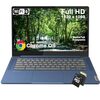
The Lenovo IdeaPad Slim 3 Chromebook is a lightweight, portable laptop designed for students and...
HP Fortis G1m 11.6-inch Rugged...
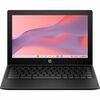
Rugged Chromebook for everyday use with 8 GB memory, an 11.6" HD screen, and durable build...
HP Chromebook 14a-nf0019nr - ChromeOS Laptop
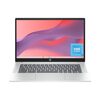
A lightweight Chromebook with a 14-inch HD display, Intel N100 processor, 64 GB eMMC storage,...
Latest Videos
Acer Chromebook 311 (CB311-12H /...

The Acer Chromebook 311 suits its purpose as a basic device well, particularly for educational...
Acer Chromebook Spin 513 Video Review

The Acer Chromebook Spin 513 is a 13.3-inch convertible laptop that has caught the attention of...
ASUS Chromebook Plus CX34 CX3402CBA...
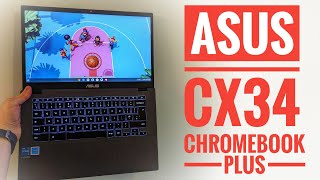
The ASUS Chromebook Plus CX34 is a 14-inch laptop that aims to deliver solid performance without...